Using the JSON Column Type in MySQL Without Regret
A working guide to MySQL 8.4 JSON columns: paths, reading, updating, searching, generated-column and multi-valued indexes, and MariaDB differences.
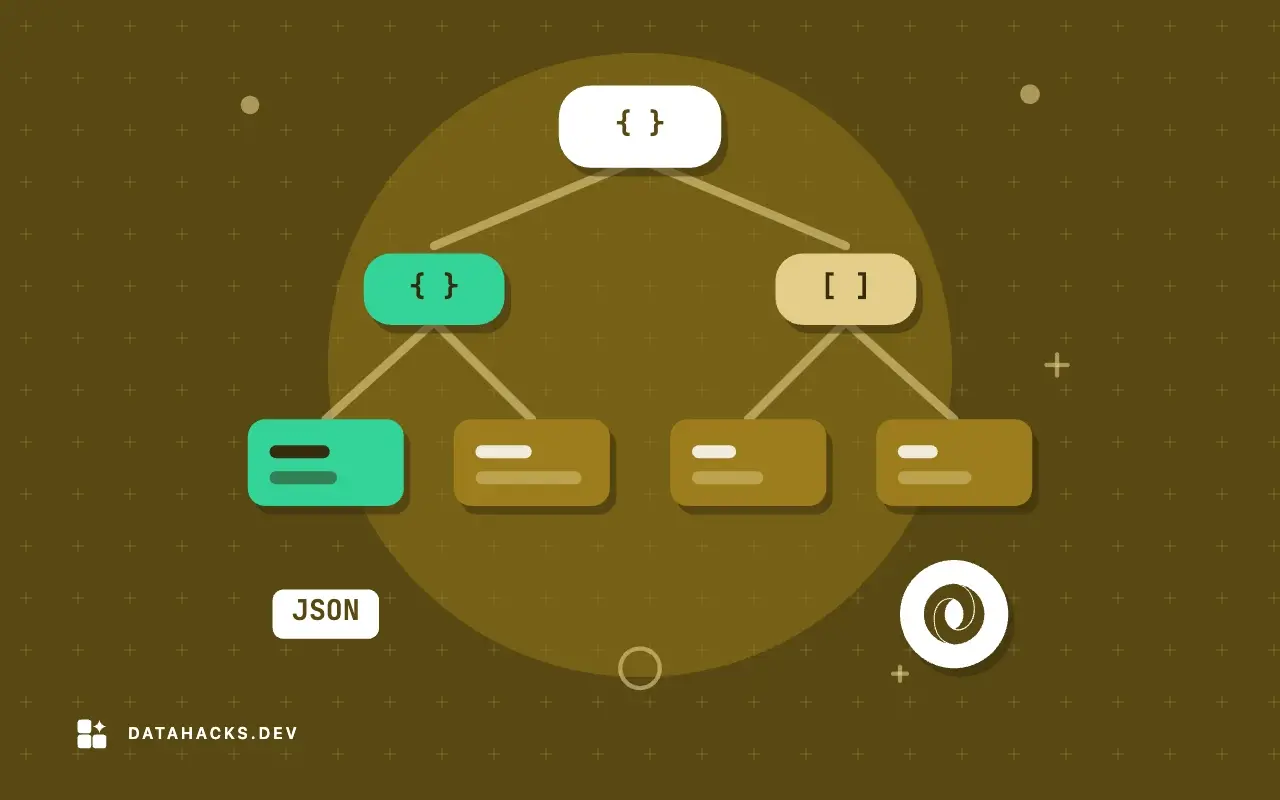
MySQL has had a native JSON type since 5.7, and it is good enough that plenty of applications use it for the parts of a model that do not want a schema: settings, metadata, feature flags, event payloads, the odd attributes of a product. It is also a type with sharp corners. The arrow operator returns something you cannot compare to a string without noticing, JSON columns cannot be indexed directly, and half of the behavior is different if the server is MariaDB. This guide goes from an empty table to indexed queries, with the outputs from a MySQL 8.4 run, the traps marked where they bite, and a short section on what changes on MariaDB 11.
It is the hub of a group of articles: creating and querying a JSON column, JSON_EXTRACT and the arrow operators, updating parts of a document in place, indexing with generated columns, JSON_TABLE, searching arrays, building JSON output, MySQL versus MariaDB, validating before insert and fixing invalid JSON text errors.
What the type is
A JSON column holds one JSON document per row. When you insert text, MySQL parses it, rejects it if it is not valid, and stores it in an internal binary format that allows direct access to a key or array element without reading the entire document. That has visible effects. Whitespace is dropped, keys are sorted (by length, then bytes), and when a key appears twice only the last value is kept:
select cast('{"b": 1, "a": [1, 2], "a": 3, "c": null}' as json);{"a": 3, "b": 1, "c": null}Numbers keep their kind. Large integers survive: {"a": 12345678901234567890} came back unchanged, while 1.50 was returned as 1.5 and 1e2 as 100.0, since non-integers are stored as doubles. A number too large for a double is rejected: cast('{"a": 1e400}' as json) raised error 3141, Number too big to be stored in double. json_type() reports the kind of any value: it said INTEGER, DOUBLE, STRING, NULL, ARRAY, BOOLEAN and OBJECT for the seven literals I tried.
Two documents compare equal if their contents are equal, whatever the key order: cast('{"b":1,"a":2}' as json) = cast('{"a":2,"b":1}' as json) is 1.
A table to work with
Everything below runs on a catalog of 200,000 products:
create table products (
  id    int auto_increment primary key,
  name  varchar(50) not null,
  attrs json not null
);

set session cte_max_recursion_depth = 300000;
insert into products (name, attrs)
with recursive n(g) as (select 1 union all select g + 1 from n where g < 200000)
select concat('Product ', g), json_object(
  'sku',      concat('SKU-', lpad(g, 6, '0')),
  'brand',    elt(1 + (g % 5), 'Acme','Globex','Initech','Umbrella','Hooli'),
  'price',    round(rand(g) * 500, 2),
  'in_stock', (g % 7 <> 0),
  'tags',     json_array(elt(1 + (g % 6), 'new','sale','eco','gift','bulk','import'),
                         elt(1 + ((g * 2) % 6), 'new','sale','eco','gift','bulk','import')),
  'specs',    json_object('weight_g', 100 + g % 900,
                'color', elt(1 + g % 4, 'red','blue','green','black'),
                'dims',  json_object('w', 10 + g % 30, 'h', 5 + g % 20))
) from n;
Row 1 looks like this, with the sorted key order:
{"sku": "SKU-000001", "tags": ["sale", "eco"], "brand": "Globex", "price": 202.7, "specs": {"dims": {"h": 6, "w": 11}, "color": "blue", "weight_g": 101}, "in_stock": true}Invalid JSON is rejected at insert, with a position, which is more help than most databases give. '{bad json}' failed with Invalid JSON text: "Missing a name for object member." at position 1 in value for column 'orders.doc'; the empty string failed with The document is empty; two documents in one string failed with The document root must not be followed by other values; [1,2,] failed with Invalid value at position 5. A SQL NULL is rejected only by NOT NULL, and the string 'null' is accepted as a JSON null, a different thing. Fixing invalid JSON text errors in MySQL inserts goes through them.
Reading values
There are two spellings of the same function. JSON_EXTRACT(doc, path) returns a JSON value. The operator -> is shorthand for it, and ->> is shorthand for JSON_UNQUOTE(JSON_EXTRACT(...)):
select attrs -> '$.brand'  as arrow,
       attrs ->> '$.brand' as arrow_text,
       json_extract(attrs, '$.brand') as ex,
       json_unquote(json_extract(attrs, '$.brand')) as unq
from products where id = 1;arrow arrow_text ex unq
"Globex" Globex "Globex" GlobexThe quotes on the first and third columns are JSON string quotes. The operators work only on a column, not on an expression: cast('{"a":1}' as json) -> '$.a' is a syntax error, and you use json_extract for that. Paths start at $. $.specs.dims.w goes down objects; $.tags[1] takes an array element; $.tags[last] the last one; $[1 to 2] a range; $.specs.* all values of an object ([{"h": 6, "w": 11}, "blue", 101] on row 1); $**.d any key d at any depth. Keys with a space or a dot need quotes inside the path: '$."a b"'. A path without the leading $ is an error, Invalid JSON path expression.
A missing path returns SQL NULL, as in the other databases. Several paths in one call return an array of the results: json_extract(attrs, '$.tags[0]', '$.brand') gave ["sale", "Globex"].
The two traps
Comparing JSON with a string. attrs -> '$.brand' = 'Acme' counted 40,000 rows, as did the ->> version and the cast('"Acme"' as json) version, because MySQL converts the string when comparing it with a JSON value. This is a convenience that hides the type. The quotes show up as soon as the value is used as text: concat(json_extract(attrs, '$.brand'), '!') returned "Globex"!, and the ->> version returned Globex!. When the destination is text, use ->>.
JSON null versus SQL NULL. json_extract on a JSON null returns the JSON value null, which is not SQL NULL: doc -> '$.a' is null was 0 for {"a": null}. And ->> on it returns the four-character text null, also not SQL NULL (doc ->> '$.a' is null was 0). The missing key, in contrast, returns SQL NULL. So where attrs ->> '$.discount' is null finds rows where the key is absent and not rows where it is set to null. MariaDB's json_value returns SQL NULL for a JSON null, so the same query behaves differently on the two servers. If the distinction matters, test json_type(...), which returns NULL (the type name) for a JSON null.
Numbers and booleans
Comparing as numbers works without a cast when the left side is a JSON number: attrs -> '$.price' > 450 counted 20,061 rows, the same as cast(attrs ->> '$.price' as decimal(8,2)) > 450. The string comparison attrs ->> '$.price' > '450' counted 43,661, because it compares text. Booleans compare to true and false: attrs -> '$.in_stock' = true counted 171,429 rows. json_type(attrs -> '$.in_stock') says BOOLEAN. ->> gives the text true, which is not equal to 1.
Changing a document
MySQL has three set functions and a remove, all returning a new document, and they differ in what they do for a path that exists or does not exist:
json_set('{"a":1}',     '$.a', 2)   {"a": 2}          replace if present
json_set('{"a":1}',     '$.b', 2)   {"a": 1, "b": 2}  add if absent
json_insert('{"a":1}',  '$.a', 2)   {"a": 1}          only add
json_insert('{"a":1}',  '$.b', 2)   {"a": 1, "b": 2}
json_replace('{"a":1}', '$.a', 2)   {"a": 2}          only replace
json_replace('{"a":1}', '$.b', 2)   {"a": 1}
json_set is the one to reach for. Like PostgreSQL's jsonb_set, none of them creates a missing parent: json_set('{"a":1}', '$.b.c', 2) returned the document unchanged. A string argument is stored as a JSON string, not parsed: json_set('{"a":1}', '$.s', '{"x":1}') stored the text "{\"x\":1}". To store an object, pass cast('{"x":1}' as json) or json_object('x', 1). json_remove(doc, '$.a', '$.b[1]') deletes keys and elements. json_array_append and json_array_insert add to arrays. A SQL NULL value becomes a JSON null: json_set('{"a":1}', '$.b', null) gave {"a": 1, "b": null}.
Merging has two functions with different meaning. JSON_MERGE_PATCH follows RFC 7396: the right side overrides, a null removes a key, nested objects merge, and arrays are replaced. JSON_MERGE_PRESERVE keeps everything and makes arrays out of conflicts:
json_merge_patch('{"a":1,"b":{"x":1,"y":2}}', '{"b":{"y":null,"z":3},"c":4}')
  -> {"a": 1, "b": {"x": 1, "z": 3}, "c": 4}
json_merge_preserve('{"a":1,"b":{"x":1}}', '{"a":2,"b":{"y":2}}')
  -> {"a": [1, 2], "b": {"x": 1, "y": 2}}
Patch is the right one for "apply these changes to the settings"; preserve is rarely what you mean. The old name JSON_MERGE is deprecated.
Updates in place
An update does not always rewrite the whole value. When you use JSON_SET, JSON_REPLACE or JSON_REMOVE in an UPDATE on the column itself, and the new value fits in the old one's space, InnoDB can update in place. json_storage_free(col) shows the unused bytes left behind. On row 1, json_set(attrs, '$.price', 9.9) left 2 free bytes; setting a long color string grew the document from 189 to 226 bytes (the update did not fit, and json_storage_free went back to 0); replacing the price again left 6; removing the tags array left 36. So small edits are cheap, up to the point where the document is rewritten. The binary log can carry a partial update too, if binlog_row_value_options is set to PARTIAL_JSON; it is empty by default, so row-based replication ships the whole document. Updating parts of a MySQL JSON document in place has the details.
Searching
Functions test a document for content:
JSON_CONTAINS(target, candidate [, path])is true if the target contains the candidate:json_contains('[1,2,3]', '[1,3]')is 1, andjson_contains('{"a":1,"b":2}', '{"a":1}')is 1.JSON_CONTAINS_PATH(doc, 'one'|'all', path, ...)tests whether paths exist.JSON_SEARCH(doc, 'one'|'all', string)finds the path of a string value, with%and_wildcards:json_search('{"a":"x","b":["y","x"]}', 'all', 'x')returned["$.a", "$.b[1]"].value MEMBER OF(array)tests array membership:2 member of ('[1,2,3]')is 1. This is the form multi-valued indexes accelerate.JSON_OVERLAPS(a, b)is true if the two share a value.
On the product table, 'gift' member of (attrs -> '$.tags') matched 33,333 rows, json_overlaps(attrs -> '$.tags', '["gift","eco"]') matched 133,334, and json_contains(attrs, '{"brand":"Acme","in_stock":true}') matched 34,286. Searching values inside a MySQL JSON array compares them.
Indexing
You cannot create an index on a JSON column; MySQL refuses with JSON column 'attrs' supports indexing only via generated columns on a specified JSON path. The ways in:
A generated column with an ordinary index. The oldest and most predictable route:
alter table products
  add column sku varchar(20) generated always as (attrs ->> '$.sku') virtual,
  add index idx_sku (sku);
explain analyze select id from products where sku = 'SKU-123456' showed a covering index lookup in 0.018 ms. Without it, attrs ->> '$.sku' = ... was a table scan of 200,000 rows, 70 ms. After the generated column exists, even the attrs ->> '$.sku' form was rewritten to use idx_sku (index lookup, 0.016 ms), so existing queries benefit. A virtual column costs no storage in the table and the index stores the values. Declaring the column also gives it a name and a type, so price decimal(8,2) stops the '450' text comparison bug. A range query on a generated price column with an index took 0.04 ms for the 43 rows between 499.9 and 500.
A functional index. Since 8.0.13 you can index an expression directly. create index idx_price_fn on products ((cast(attrs -> '$.price' as decimal(8,2)))) is accepted, and an equality query on that expression, ... = 499.9, used the index (4 rows, 0.04 ms). But the range between 499.9 and 500 on the same expression was a table scan, even with force index, at 100 ms to 137 ms, while the generated column with its index did the range in 0.04 ms. I do not know the reason from the plan. What I can say is that equality worked and ranges did not on 8.4.11 in this setup, and the generated column worked for both, so for a numeric field that will be searched by range, use the generated column.
A multi-valued index, for arrays: create index idx_tags on products ((cast(attrs -> '$.tags' as char(10) array))). It was used for 'gift' member of (attrs -> '$.tags') (index lookup, 33,333 rows, 76 ms in the rows-heavy case) and for json_contains(..., '"gift"') with a limit. json_overlaps for two values used a table scan (293 ms) in my run. The index adds entries for each array element and was 6.5 MB for these small arrays.
Sizes of the indexes created in my runs: 4.5 MB for the brand functional index, 3.5 MB for the price functional index, 5.5 MB for the SKU generated-column index and 6.5 MB for the tags index, against a table of 47.6 MB.
Unpacking and building
JSON_TABLE turns a document into rows and is covered in using JSON_TABLE to turn MySQL JSON into rows. The short version: json_table(doc, '$.items[*]' columns (sku varchar(10) path '$.sku', qty int path '$.qty')) gives one row per item, nested path unpacks arrays inside arrays, for ordinality numbers rows, exists path tests a path, and default ... on error / error on error control bad values. In my run default '-1' on error replaced a bad value and error on error raised Invalid JSON value for CAST to INTEGER from column a at row 1.
Going the other way, JSON_OBJECT, JSON_ARRAY, JSON_ARRAYAGG and JSON_OBJECTAGG build documents from rows. json_arrayagg(id) over three rows returned [1, 2, 3], and over no rows returned SQL NULL, not [], so wrap it in coalesce. Two keys that collide in json_objectagg keep the last. See building JSON output with JSON_OBJECT and JSON_ARRAYAGG.
Validation
MySQL validates syntax and nothing else. To validate structure, JSON_SCHEMA_VALID(schema, doc) implements JSON Schema draft 4, and JSON_SCHEMA_VALIDATION_REPORT explains a failure:
alter table orders add constraint doc_ok check (json_schema_valid(
  '{"type":"object","required":["customer"],"properties":{"customer":{"type":"object"}}}', doc));
For a document {"a":"x"} against a schema requiring a number at a, the report said The JSON document location '#/a' failed requirement 'type' at JSON Schema location '#/properties/a'. A check constraint on a JSON column runs on every insert and update, so keep the schema small. Validating JSON before it gets into a MySQL column shows the options.
Size and speed against columns
The typed copy of the catalog (sku, brand, price, in_stock, weight_g, color) took 18.5 MB of data, against 47.6 MB for the JSON table. A grouped average over brand and price took 122 ms warm on the JSON table (221 ms cold) and 81 ms on the typed one (95 ms cold). So MySQL paid a 2.6 times size penalty and a 1.5 times time penalty, which is a smaller speed gap than I measured on PostgreSQL's JSONB for the same shape. The binary format with offsets helps. The cost is still real, and it is paid on every query: the filter on a JSON key decodes the document for every row.
Documents larger than an InnoDB page are stored in overflow pages. json_storage_size() tells you what a document takes (189 bytes for row 1). As with any database, keep JSON documents small and put big, rarely read data elsewhere.
MariaDB is a different animal
MariaDB accepts JSON as a type name and makes it an alias for LONGTEXT with a JSON_VALID check. show create table on MariaDB 11.8.9 printed doc longtext CHARACTER SET utf8mb4 COLLATE utf8mb4_bin DEFAULT NULL CHECK (json_valid(doc)). The consequences, each confirmed by a run:
No normalization. The text is stored exactly as you wrote it:
{"b": 1, "a": [1, 2], "a": 3, "c": null}came back unchanged, duplicates and spaces included.**No
->or->>.** They are syntax errors. UseJSON_EXTRACTandJSON_VALUE.**No
MEMBER OF.**JSON_CONTAINSandJSON_OVERLAPSexist.Different null handling.
json_value('{"a": null}', '$.a')returns SQLNULL, wherejson_unquote(json_extract(...))returns the textnull.Extra functions MySQL lacks:
JSON_EQUALS,JSON_NORMALIZE,JSON_DETAILED,JSON_LOOSE,JSON_COMPACT,JSON_ARRAY_INTERSECT.**
JSON_TABLE** exists from 10.6,JSON_SCHEMA_VALIDis there, and generated columns with indexes work as in MySQL.
SQL that uses only JSON_EXTRACT, JSON_SET, JSON_CONTAINS and generated columns runs on both. The comparison is in MySQL JSON versus MariaDB JSON.
Case, collation and character sets
JSON strings in MySQL are stored as utf8mb4, and the functions that return them use the binary collation. collation(attrs ->> '$.brand') returned utf8mb4_bin, while a value cast with cast(... as char) took the connection's default, utf8mb4_0900_ai_ci. The practical effect is that comparisons against JSON text are case sensitive even though your table and your other columns are not. attrs ->> '$.brand' = 'acme' matched 0 rows on a table where 'Acme' appears 40,000 times, and lower(attrs ->> '$.brand') = 'acme' matched all 40,000. A search box that lowercases input will therefore miss everything unless you decide on a case for stored values and keep to it, or compare through lower(), or cast the extracted value to a case-insensitive collation. The collation also shows up in indexes: the functional index on the brand in my tests declared collate utf8mb4_bin so that it matched the JSON text's own collation.
Statistics and the optimizer
MySQL keeps no statistics about what is inside a JSON document. explain select id from products where attrs ->> '$.brand' = 'Acme' estimated 196,992 rows with filtered at 100 percent, a full scan whose estimate says every row qualifies, when 40,000 did. Any join that depends on such an estimate is planned blindly. An index on a generated column, or a functional index, gives the optimizer real numbers for that expression, which is one more reason to promote the fields you filter on. Histograms (analyze table ... update histogram on column) work on generated columns too, so a skewed field can have one without becoming a stored column.
Schema changes on a table with JSON
Adding a virtual generated column and an index is the cheap way to make a field queryable, and adding a stored one is not. A stored generated column on the 200,000-row table forced a table copy: it took 2.8 seconds with algorithm=copy, and MySQL refused algorithm=inplace for it. Adding a virtual column together with its index in one ALTER worked, while my attempt to force algorithm=instant on that combined statement returned INPLACE ADD or DROP of virtual columns cannot be combined with other ALTER TABLE actions. On a large table, run these through an online schema change tool or in a maintenance window, and measure on a copy first.
Moving a text column to JSON
Many databases arrive at JSON by way of a TEXT column that has been holding JSON for years. Converting it is a one-line ALTER, and MySQL validates every row as it goes, so one bad row stops the whole statement. I tried it on a longtext column with a valid object, a broken object, an empty string and a NULL. The alter table legacy modify body json failed with Invalid JSON text: "Missing a name for object member." at position 1, and it does not say which row. Find them first:
select id from legacy where body is not null and not json_valid(body);That listed ids 2 and 3. Fix or null them, then run the ALTER: afterward, row 1 read {"a": 1}, with the normalized spacing, and the other three were NULL. Notice that the empty string, which was valid text, is not valid JSON, and it is the most common offender, followed by values with a trailing comma, single quotes or a BOM. Back up before converting, because the stored form changes: whitespace and key order are rewritten, and duplicate keys collapse. If something downstream compares the text byte for byte, such as a signature check, converting breaks it.
Typed extraction with JSON_VALUE
Casting the output of ->> works, but since 8.0.21 JSON_VALUE(doc, path RETURNING type) does the extraction and the conversion in one call, and it knows what to do when the conversion fails:
select json_value(attrs, '$.price' returning decimal(8,2)) as price,
       json_value(attrs, '$.specs.weight_g' returning unsigned) as weight_g,
       json_value(attrs, '$.brand') as brand
from products where id = 1;price weight_g brand
12.50 101 Globex(The price is 12.50 here only because I had edited row 1 in the update experiments.) A text value that does not convert gives NULL with null on error and an error with error on error: json_value('{"a":"x"}', '$.a' returning signed error on error) raised SIGNED value is out of range in 'json_value'. The conversion types include date and datetime, so json_value('{"a":"2026-10-01"}', '$.a' returning date) returned a real date. JSON_VALUE returns a scalar; pointed at an array it returned the array as JSON text, [1, 2]. In a generated column definition it is a tidy way to declare both the path and the type.
Dates, decimals and binary data
JSON has no date type, so MySQL writes dates and times into documents as strings, with fractional seconds: json_object('d', date '2026-10-01', 'dt', timestamp '2026-10-01 12:30:00', 't', time '12:30:00') produced "2026-10-01", "2026-10-01 12:30:00.000000" and "12:30:00.000000". Reading them back is a string comparison until you cast, so index and query dates through a typed generated column, not through the text. Binary data is written with a prefix, "base64:type15:QUI=" for the bytes AB, which is a MySQL-specific form that no other JSON reader will understand. Do not put binary values in a document you share.
Numbers have their own habit. A decimal literal such as 1.50 is kept as a decimal when it goes in through json_object, but a number that arrives as text in a JSON string is parsed as a double, so json_extract('{"a": 0.1}', '$.a') + 0.2 returned 0.30000000000000004, while casting the extracted value to decimal(10,2) first gave 0.30. For money, either store cents as integers or keep amounts as strings and cast them, and never add up JSON doubles in SQL without a cast. Integers beyond 2^53 survive inside MySQL (9007199254740993 came back exactly) but can be rounded the moment a JavaScript client parses the result, a hazard covered in how JSON handles big numbers.
A checklist
Put identifiers, foreign keys, timestamps and anything you join or sort on in columns.
Use
JSONfor the varying remainder and give it aNOT NULLand ajson_schema_validcheck if the shape matters.Always use
->>when you want text, andcast(... as ...)when you want a number or date.Index with generated columns first; use multi-valued indexes for arrays you search with
MEMBER OF.Edit with
JSON_SETorJSON_MERGE_PATCHin the UPDATE itself.Choose between
JSONand a document database with choosing between a JSON column and a document database in hand. For quick formatting of a sample document use the JSON formatter.
When a JSON column is the wrong tool
You filter, join or sort on the same few keys. Each use needs a generated column and an index. When the list reaches six, you wrote the table the long way; migrate the keys to columns.
The data is relational. An array of ids pointing at other rows has no foreign key. Use a join table.
You need to update fields independently under load. Two writers touching different keys of one document both rewrite or lock the same row.
You run analytics over the fields. Every query decodes every document. Export to a columnar format, for example with DuckDB reading JSON files.
You need the exact text back. MySQL normalizes; MariaDB keeps text but gives up the binary format. If you must return what the client sent, store it as TEXT.
The authoritative references are the MySQL manual's JSON data type page, the JSON function reference and the section on creating indexes on JSON, and for MariaDB the JSON functions overview.


