Using JSON in Application Design Without Making a Mess
A tested guide to where JSON belongs in an application: columns, API shapes, settings, events, drift and patches, with measured costs in PostgreSQL.
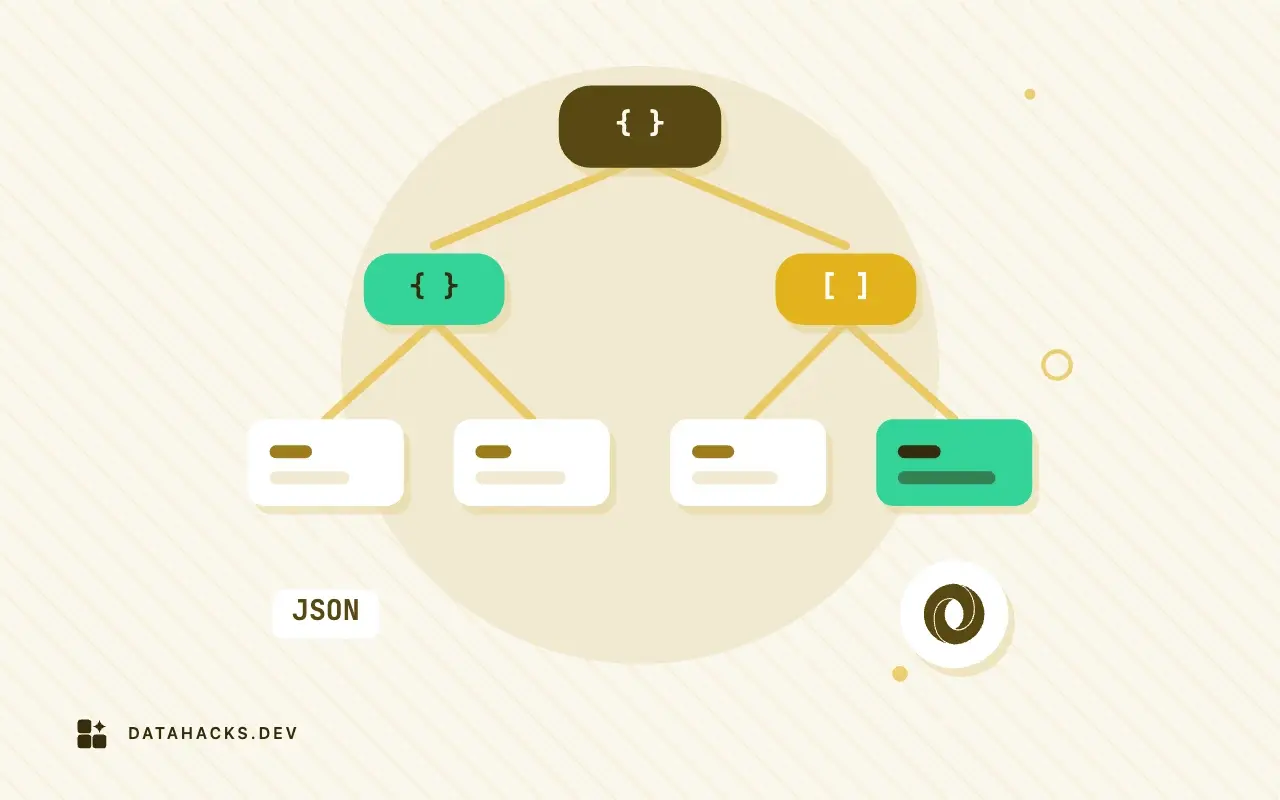
JSON in an application is a tool that works well in a few places and badly in a lot of others. The trouble is that the failure is slow. A JSON column makes the first feature faster to build, because nobody has to design anything. The cost arrives later and in pieces: a report that is slow, a field that has three spellings, an API response nobody dares change, a migration that touches ten million documents. Each piece has a fix. The whole is what people mean by "a mess."
This guide is the route I take when a design involves JSON, in the order the decisions come up. It is about application design with a relational database underneath, mostly PostgreSQL, and it comes with numbers from running the alternatives against a million-row table. Each section links to a shorter article that has the details.
What counts as a mess
Three patterns account for nearly every JSON design that goes wrong.
The first is the table with one real column. An id and a data jsonb, with everything else inside. It is the fastest way to start and the slowest to query, and the document eventually becomes the schema, with the schema in nobody's head.
The second is the invisible contract. Documents written by five versions of the code, three services and a vendor, and no place where the expected shape is written down. Readers guard each field with if "x" in doc, and the guards disagree.
The third is the response that mirrors one screen. An API shaped by the page that first needed it, which makes every other consumer parse around it and makes the page impossible to change.
The rest of the guide is about avoiding each, and about knowing when JSON is the right choice.
Step 1: decide what is a document and what is a row
The test I use is how the data is accessed. Ask three questions about each piece of data.
Is it read and written as a unit? A user's notification preferences, a form definition, the layout of a dashboard, a webhook payload kept for replay: these arrive whole and leave whole. No query asks for "all users whose digest is weekly" often enough to matter. A document fits.
Is it filtered, joined, grouped or constrained? An order's status, its customer, its total, the country it ships to: these appear in WHERE, JOIN, GROUP BY and CHECK. They belong in columns, where the planner has statistics, the type system has opinions, and the database can enforce foreign keys.
Is it sparse and variable? The attributes of a product differ by category: a shirt has a size, a drill has a voltage. A handful of optional attributes per row, varying by type, is the textbook case for a document next to a typed core.
Anything that answers yes to the second question and gets stored as JSON is on a countdown. That does not forbid it. Prototype quickly, and move the field when it starts showing up in queries. The question that matters is whether you will notice when it does (the JSONB wrong-choice article lists the signs, and choosing between a JSON column and tables compares the options across databases).
Step 2: know what the document costs
I built one million orders three ways: typed columns, a single jsonb document per row, and a hybrid with a typed core (customer_id, status, total, created_at) and a jsonb column for country and note.
table      total     heap
h_cols     88 MB     66 MB
h_doc      199 MB    178 MB
h_hybrid   107 MB    86 MB
The document table was 2.7 times the heap of the columns. The reason is that every document repeats its key names (customer_id, status, total, created_at, country) as text, plus the per-value headers jsonb keeps, while a column stores only the values. For short documents with long key names this is the main cost. It matters for cache hit rates, backups and replication as much as for disk, since more pages mean fewer rows in memory.
Then the queries, with no indexes beyond the primary key:
query                                              columns    jsonb
count where status = 'paid' and country = 'DE'     36 ms      47 ms   (->>),  46 ms (@>)
sum(total) group by status                         53 ms      770 ms
count where customer_id = 4242 (no index)          31 ms      60 ms
Filters cost about the same, because both scan a million rows and test two values. The aggregate is where the document pays: (doc->>'total')::numeric extracts text, parses it into a numeric, and does this a million times, which is 14 times slower than reading a column of that type. The more of the work is arithmetic and casting, the bigger the gap.
Indexes change the lookup picture:
index                                            size     build
btree on customer_id (columns)                   9 MB     266 ms
btree on ((doc->>'customer_id')::int)            9 MB     312 ms
GIN (jsonb_path_ops) on the whole document       79 MB    3.1 s

lookup by customer_id:   columns 0.4 ms   expression index 0.9 ms   GIN @> 0.3 ms
An expression index on a single key is as small and about as fast as an index on a column. A GIN index covers any key and any containment query, and costs nine times the space and ten times the build time. If you know which keys you query, index those keys; if you do not, GIN is the safety net, and it is not free on writes (indexing JSONB with GIN covers the operator classes).
One more number worth having is the cost of changing a field on many rows. Setting status on 100,000 rows took 546 ms on columns and 1,246 ms with jsonb_set. The document row is rewritten whole, as a new row version, however small the change.
Step 3: use the hybrid and promote with a rule
The hybrid table gave the best of both: columns for the fields queried, a document for the tail. The rule that keeps it tidy is a promotion trigger. When a key appears in a WHERE, JOIN, GROUP BY or ORDER BY of a query that runs often, or when it needs a constraint, it becomes a column.
Promotion does not need downtime if you let the database copy the value:
alter table h_doc add column country text generated always as (doc->>'country') stored;
create index on h_doc (country, (doc->>'status'));
For a million rows this took 4.6 s for the column (it rewrites the table) and 0.8 s for the index, and the table grew from 199 MB to 298 MB with both. A stored generated column keeps the document as the source of truth, so existing writers continue to work. When every writer has been updated, drop the key from the document and make the column ordinary.
Do not expect the index to always help. The query with country = 'DE' and status = 'paid' matched 45,000 rows, 4.5 percent of the table, and took 98 ms with the composite index, which is no better than the 55 ms sequential scan on the typed table. An index pays when the filter is selective. The lookup on one customer (10 rows) is where it made a difference.
Reverse promotion matters too. A column that is mostly null, one of 30 optional attributes, is better in the document. Moving it back costs the same as moving it out.
Step 4: shape what goes over the wire
The database layout is one design. The API response is another, and the two are not the same. A response that nests children inside the parent (an order with its items and customer) saves clients round trips, and the cost is a query with correlated subqueries or a group by. I measured the trap in it: a nested response for 100 orders took 339 ms with no index on the foreign key and 0.68 ms with one (designing a JSON API response that maps cleanly to tables). The shape rules that kept it mappable were the same names as the columns, ids as strings, exact numbers from numeric, ISO timestamps, arrays for to-many and an envelope for lists.
Key naming looks like a matter of taste and turns into a source of data loss. In a generated set of 3,000 documents from four sources, user_id, userId, UserID and user-id were four keys for one field, and the most common spelling found only 52 percent of rows. A conversion helper can make it worse: five of nine names did not survive a round trip through snake case and back (naming keys consistently in JSON). Pick one style, write it in the contract, and check for near-duplicates automatically.
Step 5: plan for change before the first change
Every document that outlives a deploy will be read by code that did not write it. Two habits make that survivable.
First, put a version in the document and upgrade on read with one small function per step. Two chained functions turned 100,000 mixed-version documents into the latest shape in 0.60 s, 0.43 s of which was the JSON round trip itself, and a backfill in SQL of 200,000 rows took 1.5 s and left the table three times larger until a VACUUM FULL (versioning JSON payloads). The guard that matters is the one that refuses a version newer than the code knows.
Second, write down the rules for events and messages. Of seven changes to an event, only adding an optional field was compatible. Removing, renaming, retyping and adding an enum value broke every consumer, and a strict consumer broke on all seven, including the harmless one. Producers add and never change; consumers ignore what they do not know and still check what they use (event payloads in JSON and schema evolution).
Step 6: update the document without losing data
Settings and profiles are the common JSON-column use, and the first update is where they go wrong. PostgreSQL's || operator is shallow: merging {"notifications":{"push":true}} into a settings document replaced the entire notifications object and dropped two keys. jsonb_set changes one path, and returns the document unchanged if the parent is missing. Defaults belong in code rather than in every row, so a new setting needs no migration (storing user settings as JSON).
For API updates, the question is what a request body means. A PUT replaced a five-field record with a one-field record. dict.update replaced a nested object whole. A model that applied its defaults set two fields to None that the client never mentioned, until exclude_unset was used. Two whole-document writes from two clients silently lost one client's change, while two jsonb_set updates kept both (partial updates and patch semantics). Pick PUT, merge patch or JSON Patch deliberately, record what arrived, and use field-level SQL or a version check for concurrency.
Step 7: keep an eye on drift
A JSON column has no schema, so it drifts, and the drift is not visible until you count it. Two queries do the counting: keys by frequency, and types by key. On 500,000 events they showed userId on 500 rows beside user_id on 499,500, and amount as a number 498,857 times, a string 500 times and null 643 times. The effect on a report was concrete: the sum of amount was 24,193,707.5 with a type guard and 24,217,677.5 without, a difference of 23,970 produced by how the query was written. A NOT VALID check constraint stopped new bad rows in milliseconds and could be validated after the old ones were repaired (JSON columns and schema drift).
The same pair of queries belongs in a scheduled job. A new key in the output is a deploy you did not know about.
Step 8: validate at the edge, constrain at the end
The only validation in the bad-value test was the application's. I inserted a row whose country was the number 42 and whose total was the string x into the document table, and it went in without a murmur. The first query that cast total failed with invalid input syntax for type numeric for the whole result, not just that row. A column would have refused the row at insert time.
So validate in layers. A schema or typed model at the edge catches malformed requests and returns every error at once. Constraints in the database catch what bypasses the edge: a second service, a script, a manual fix. Constrain the few keys that must always hold, and promote the ones you constrain often (validating request JSON before it reaches the database). The security side of the same layers, from size and depth limits to injection and logging, is in JSON security mistakes in apps and pipelines.
Step 9: large documents change the arithmetic
Everything above used small documents, a few hundred bytes. Documents of tens of kilobytes follow different rules, because PostgreSQL stores values over about 2 KB out of line, in a TOAST table, and compresses them.
I built 2,000 documents of about 62 KB each (a title, an owner, a revision number and 1,500 small row objects) beside a table holding only the small fields as columns:
avg document size   62 kB
total table size    127 MB   (heap 104 kB, toast 125 MB)
The heap itself was 104 kB, since every document sat in the TOAST table. Reading one small key out of each document is where this is felt:
count where (doc->>'owner')::int = 7      202 ms    (2,000 documents)
count where owner = 7  (small table)      0.34 ms
The filter touched a value near the start of each document, but the whole value had to be fetched and decompressed to get at it. That is 600 times slower for a two-thousand row table, and it grows with the number of documents and with their size. The pattern that avoids it is the hybrid again: keep title, owner and rev as columns, and leave only the bulk in the document.
Writes show the same effect, and it surprised me more. I changed one small key, rev, on 500 of the large documents and measured the write-ahead log produced:
update h_big (jsonb_set on rev), 500 rows      33 MB of WAL    1.19 s
update h_small (rev = 2), 500 rows            114 kB of WAL
Changing a few bytes in a document wrote about 66 KB of log per row, since the whole new document is stored as a new value. The same change on a column wrote under 300 bytes per row. Replication, backups and the amount of vacuuming all scale with that figure. A busy table of large documents that gets small updates produces a surprising amount of WAL, and a replica that is behind will be the first to tell you. If you update a small part of a large document often, take that part out of the document.
The size at which this starts to matter depends on your hardware and workload. The 2 KB TOAST threshold is a documented default (PostgreSQL on TOAST), and everything I measured is for that setup, so run the same two tests on your documents before deciding.
Step 10: a path from the one-column table to the hybrid
Many teams reach this guide after the mess exists: a table with an id and a data jsonb, a few years of documents, and queries that have started to hurt. The way out is a sequence of small steps, none of which needs a freeze.
Count first. Run the key and type queries from the drift section on the live table, and rank the keys by how often they appear in the WHERE and GROUP BY clauses of the slow queries. Usually three to five keys account for nearly all of it. Those are the ones to promote.
Promote with a generated column. For each key, add a stored generated column (doc->>'country' cast to the right type) and an index on it. The existing writers keep writing documents and the column follows them. Queries move to the column one at a time. This took 4.6 s for a million rows, but on a table of hundreds of millions plan it for a quiet period, because adding a stored generated column rewrites the table.
Fix the types as you go. A promotion is the moment to find the rows with "total": "x". A cast that fails on a bad row is a gift: it names a row that was wrong all along. Repair them with the batch updates from the drift section, add the constraint as NOT VALID, then validate it.
Move the writers. When every service writes the new columns directly, drop the generated expression and make the column ordinary. Remove the key from the document with - 'country' in batches. Keep a schema_version in the document so the next change does not need this much thought.
Leave the tail. Do not promote everything. The keys that nobody queries are the document's reason to exist. A table with six columns and a document of ten optional keys is a good outcome, and the document there is doing its job.
This sequence is the same one that applies to any shape change in a live system: add the new thing next to the old one, move readers, move writers, remove the old one. JSON makes it easier to start and no easier to finish, so the finishing steps need a name and an owner.
Testing the design
A design with JSON in it is easier to keep honest when it has tests that exercise the shapes it claims to accept. Three kinds pay for themselves.
A contract test runs sample documents of every supported version through the reading code and a schema and asserts the output. When a new version is added, its sample goes in the same folder (contract testing JSON APIs). A snapshot of the API response for a fixed set of rows catches the accidental rename, the new null and the reordered array (snapshot testing JSON output). And a hostile-body test sends the oversized, deeply nested, duplicate-key and wrong-type inputs and expects a 4xx, which keeps the validation layer from quietly eroding.
Add a periodic check that is not a test: the key and type counts on every JSON column, compared with the previous run. It takes seconds on a modest table and it is the only thing that sees what the tests do not, which is the data that production has accumulated.
Questions worth asking in a design review
When a pull request adds a JSON column or a new payload, a handful of questions find most of the trouble before it ships. They are cheap to ask, and an answer of "I do not know" is itself useful.
Who writes this document, and how many versions of that code will be running at once? If the answer is more than one, there must be a version field and a rule for the oldest reader.
Which keys will appear in a WHERE clause within the next six months? Those keys should be columns now, or have an expression index and an owner who will watch them.
What does a missing key mean, and what does a null mean? If the two mean the same, say so in the contract. If they differ, say how the difference is written.
What is the largest this document can get, and what happens when it passes that? A list that grows without bound inside a document is a table that has not been created yet, and every append rewrites the whole value.
How is the shape checked on the way in, and who sees the errors? A schema or model with unknown keys forbidden is the usual answer. A reply of "the front end does that" is not an answer, because the front end is not the only client.
What will break if a key is renamed? If the answer is a report nobody remembers writing, find it before the rename.
How would we know if the data had drifted? The key and type counts are the minimum.
None of these is specific to JSON, and that is the point. A document is a table that has hidden its columns, and the discipline of knowing what the columns are does not go away because they are hidden.
A decision table
| Question | Document | Column |
|---|---|---|
| Read and written whole? | Yes | No |
| In WHERE, JOIN, GROUP BY, ORDER BY often? | No | Yes |
| Needs a foreign key, unique or check? | No | Yes |
| Shape varies by row or type? | Yes | No |
| Summed or averaged? | No | Yes |
| Different writers and versions? | Only with a version and a schema | Yes, the table is the schema |
| A raw payload kept for replay? | Yes | No |
Where the answers split, use the hybrid: columns for what is queried and constrained, a document for the rest, and a version in the document.
What a good design looks like in practice
A small example ties it together. An orders service keeps id, customer_id, status, total and created_at as columns, with a foreign key and the indexes its queries need. It keeps extra jsonb for shipping notes, gift options and carrier-specific fields, with a schema_version key and a check that the value is an object. The API returns orders with items and customer nested, built in one query over indexed foreign keys, with ids as strings and snake case keys that match the columns. Events published on payment have an envelope (id, type, version, at) and a payload that only ever grows. A nightly query counts keys and types in extra; a new key goes in a ticket. Settings per user live in a prefs document updated with jsonb_set, with defaults in one module.
None of this is exotic. It is a few habits applied early, and each habit exists because I could reproduce the failure it prevents.
Reference material that is worth bookmarking: the PostgreSQL chapter on JSON types, its list of JSON functions and operators, and the JSON Schema documentation at json-schema.org. To check the shape of a document while designing it, paste it into the JSON formatter, and to sketch a schema from a sample use the JSON schema generator.
When you should skip the JSON column entirely
The data is regular and queried. If every row has the same fields and you filter and join on them, use columns. A JSON column here costs 2.7 times the space and a 14 times slower sum in exchange for flexibility you do not use.
You need relational integrity. Foreign keys, unique constraints and check constraints on several fields are the reasons relational databases exist. JSON can hold an id, and the database cannot verify that it points anywhere.
Reporting is the main workload. Analysts will write SQL against the table. Give them columns with names and types. A document forces every query to extract and cast, and every analyst to rediscover the keys.
The flexibility is imaginary. If the shape will not change for a year, the document buys nothing. If it will change often, a document with a version and a schema buys a lot. Decide which one you have before choosing.


