Why a CSV Shows Strange Characters Instead of Accents
Seeing odd letter pairs where accents belong means UTF-8 was read as a legacy encoding. See the byte level cause and a table of symptoms.
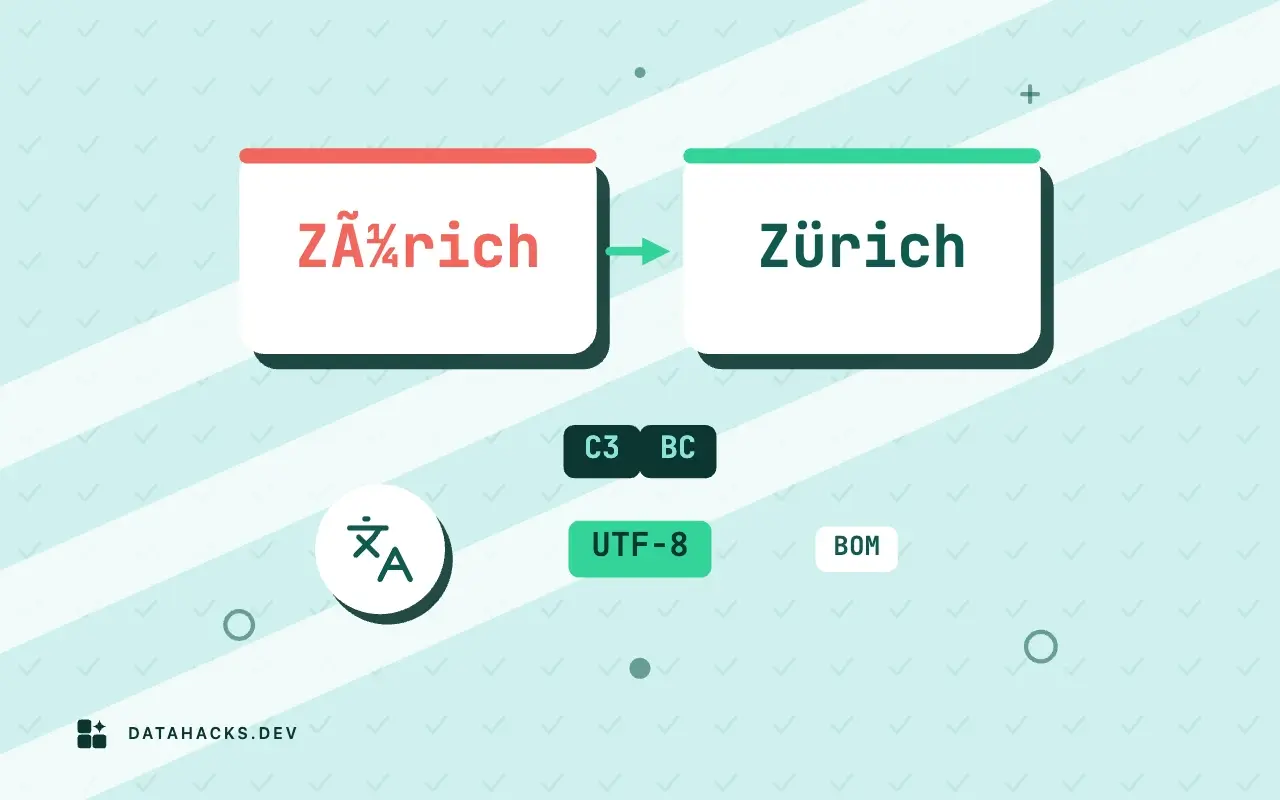
The symptoms look random and are not. José becomes José, São Paulo becomes São Paulo, and a euro price becomes €4.50. Every one of those strings is the result of two programs disagreeing about how to turn bytes into letters, and each leaves a recognizable fingerprint. This article explains the mechanism with one table you can run yourself, and then reads the fingerprints so you know which way the mistake went before you try to fix it. The full repair path is in the guide to fixing garbled text.
What it looks like when it happens
Here is one line of the test file as it exists on disk, then the same bytes read under three different assumptions:
cd enc
python - <<'PY'
raw = open("utf8.csv", "rb").read()
print("what the file says  :", raw.decode("utf-8").splitlines()[1])
print("read as cp1252      :", raw.decode("cp1252", errors="replace").splitlines()[1])
print("read as latin-1     :", raw.decode("latin-1").splitlines()[1])
latin = open("cp1252.csv", "rb").read()
print("cp1252 file as utf-8:", latin.decode("utf-8", errors="replace").splitlines()[1])
PYwhat the file says : 1,José Müller,São Paulo,price €4.50
read as cp1252 : 1,José Müller,São Paulo,price €4.50
read as latin-1 : 1,José Müller,São Paulo,price â¬4.50
cp1252 file as utf-8: 1,Jos� M�ller,S�o Paulo,price �4.50The first line is the truth. Read as Windows-1252, the euro price turns into €4.50 and the names into José Müller. Read as Latin 1, it looks the same for the accents and loses the euro sign: the three bytes of € become â followed by two characters you cannot see, because Latin 1 maps those byte values to control characters. The last line goes the other direction, a Windows-1252 file read as UTF-8, and gives replacement characters. Pairs in one direction, diamonds in the other.
Why two bytes turn into two characters
UTF-8 is a variable width encoding. Plain ASCII uses one byte, and everything else uses two to four bytes whose first byte tells the reader how many to expect. é is code point U+00E9, and UTF-8 writes it as C3 A9. A legacy single byte encoding has no such concept. It maps each byte to exactly one character, so it reads C3 as à and A9 as © and moves on. Nothing about the bytes changed. Only the reader's table did.
That is why the damage is so regular. Every accented Latin letter in UTF-8 starts with C3 or C2, so every one becomes à or  followed by a symbol. Here are the common ones, with both legacy readings side by side:
python - <<'PY'
rows = [("é", "e acute"), ("ü", "u umlaut"), ("ñ", "n tilde"), ("ç", "c cedilla"), ("’", "right single quote"), ("“", "left double quote"), ("€", "euro sign"), ("é".upper(), "E acute")]
print(f"{'char':5} {'UTF-8 bytes':14} {'read as cp1252':16} {'read as latin-1':16}")
for ch, name in rows:
    b = ch.encode("utf-8")
    cp = b.decode("cp1252", errors="replace")
    l1 = b.decode("latin-1")
    print(f"{ch:5} {b.hex(' '):14} {cp:16} {l1:16} {name}")
PYchar UTF-8 bytes read as cp1252 read as latin-1
é c3 a9 é é e acute
ü c3 bc ü ü u umlaut
ñ c3 b1 ñ ñ n tilde
ç c3 a7 ç ç c cedilla
’ e2 80 99 ’ â right single quote
“ e2 80 9c “ â left double quote
€ e2 82 ac € ⬠euro sign
É c3 89 É à E acuteé is é, ü is ü, ñ is ñ. The right single quote ’, which word processors insert everywhere, becomes ’ under Windows-1252, because its UTF-8 form is three bytes (E2 80 99) and Windows-1252 assigns printable characters to 80 and 99. Under Latin 1, bytes 80 and 99 are control characters, so the same text shows as â and nothing visible, which is why Latin 1 mojibake is often described as "missing characters" and Windows-1252 mojibake as "weird symbols".
Reading the fingerprint
You can tell what happened from the first character of the garbage.
| What you see | What happened |
|---|---|
à or  followed by a symbol: é, ü, £ | UTF-8 read as Windows-1252 or Latin 1 |
’, “, â€", € | UTF-8 punctuation or euro read as Windows-1252 |
â followed by nothing visible | The same, read as Latin 1 |
� black diamond or � | A decoder met bytes that are not valid UTF-8 and replaced them |
? where letters belong | An encoder could not represent a character and substituted a question mark |
Spaced out letters, J o s é | UTF-16 read as a single byte encoding |
The first three rows are fully reversible if no later step has changed the text, since the bytes are all still there and only the labels are wrong. The last three rows are not necessarily reversible. A replacement character means a step decided the bytes were invalid, and the original byte value is often gone. A question mark means the character was lost when the file was written. The article on question marks covers that case.
Where the wrong assumption comes from
Most of the time, the sender and the receiver each did something reasonable. A modern program wrote UTF-8, since that is the default almost everywhere. A program on Windows opened it, assumed the system's legacy code page, because that is how older software behaves when it sees no marker, and displayed what it was told to. Excel is the best known example, and opening a UTF-8 CSV in Excel without garbled text deals with it directly. The mismatch can also be introduced by a database client, a terminal, or an HTTP response that declares ISO-8859-1, which for years was the default for text/* in HTTP.
It can also happen twice. A file garbled once and saved again as UTF-8 is garbled in a different way: the à itself is now encoded as two bytes, and reading it as Windows-1252 produces à pairs. Two layers need two repairs, and the mojibake article walks through it.
Fix it at the layer that went wrong
The fingerprint also says where to look. If the pairs appear when you open the file but the file itself is fine, the reader is at fault, and the fix is a setting: the file origin in a spreadsheet, the encoding argument in a script, the character set of a database connection. If the pairs are in the file's bytes, because a previous step decoded and re-saved it, the fix is a repair of the file, and the source of the mistake is a step that needs to be changed or the problem will come back with the next export.
The Python documentation's Unicode HOWTO has a good account of why bytes and text are different things, and the UTF-8 specification, RFC 3629, is short enough to read in one sitting. The rule it states for multibyte sequences, a lead byte followed by continuation bytes of the form 10xxxxxx, is exactly the pattern that makes C3 A9 decode as one character in one table and two in another.
Confirm before you fix
Three checks. Print the bytes of one garbled character and compare them with the table: if é comes from C3 A9, the file is UTF-8. Count how many lines contain à or â€: a consistent fraction means the whole file went through the same mistake. And find a known record in the source system and compare the exact string.
If all three agree, the fix is to read the file as UTF-8 in the first place, which for a file on disk usually means setting the encoding in the reader. If the text was already saved in garbled form, you need the reverse conversion, not a re-decode. The two are different operations and mixing them up is how data gets damaged a second time.
When the pattern in the symptoms does not match
If you see neither pairs nor question marks, but letters that are plausible and wrong, such as ł where ö should be, the file was read with a legacy encoding from the wrong region: Windows-1250 instead of Windows-1252, or a Cyrillic table instead of a Western one. Those have no fingerprint, because every byte maps to a valid character in every table. The only way to know is to compare against known text, as in detecting the encoding of a CSV file.
And if the garbling is only in your terminal or editor while the file is correct, the file does not need repair at all. Check by reading the same file in a tool whose encoding you control, such as Python with encoding="utf-8", before changing a byte.


